Every receipt becomes a stamp
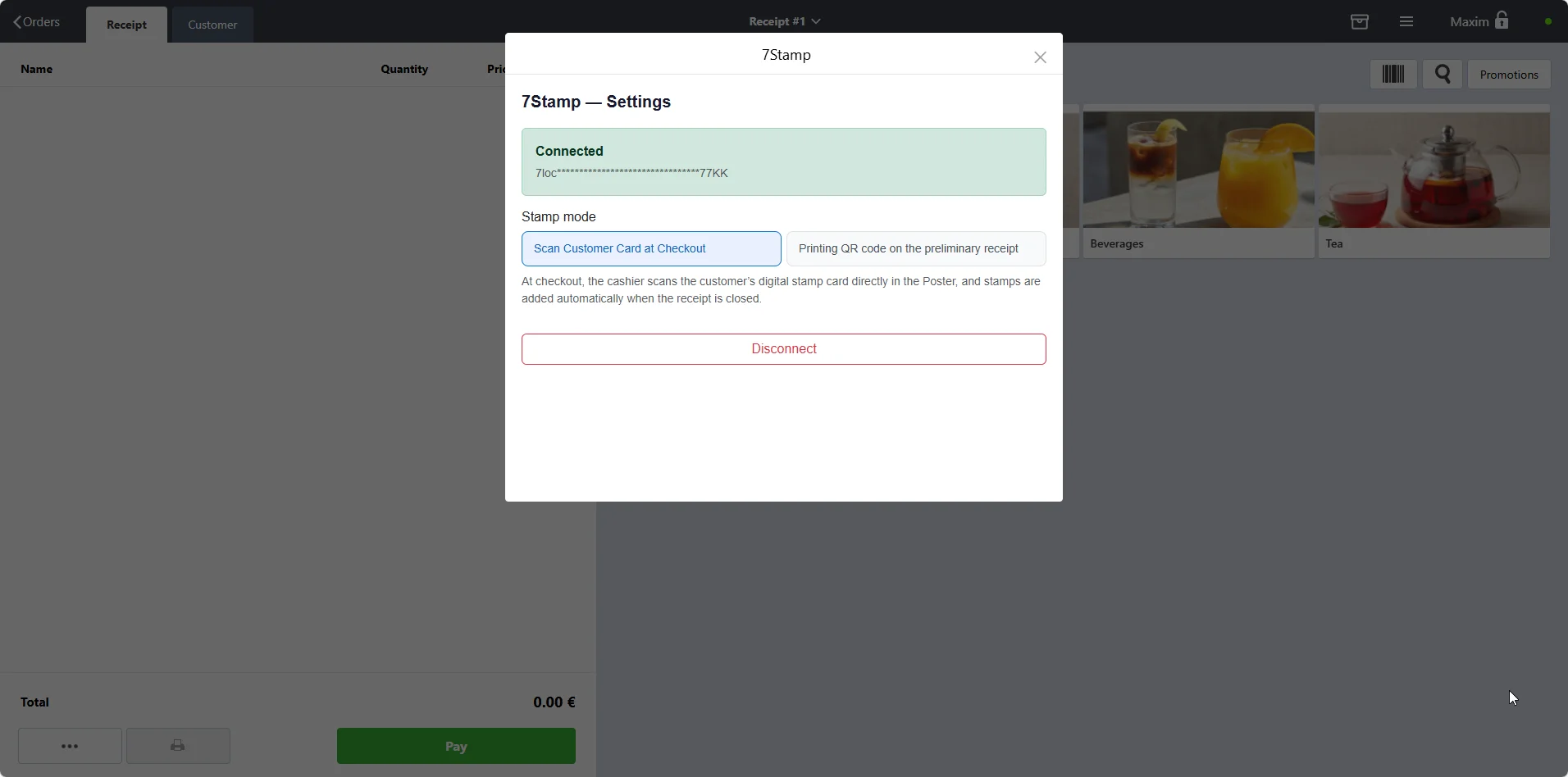
When the cashier closes a check in Poster, 7stamp can either add the stamp automatically in Receipt QR mode or wait for the cashier to scan the customer in Staff Scan mode.

Direct POS integration
The 7stamp integration turns every receipt in Poster POS into a digital stamp card in Apple Wallet and Google Wallet. Customers join in about 15 seconds by scanning a QR code at the bottom of the receipt. No app downloads. No staff retraining. No POS development. Free Forever plan available.
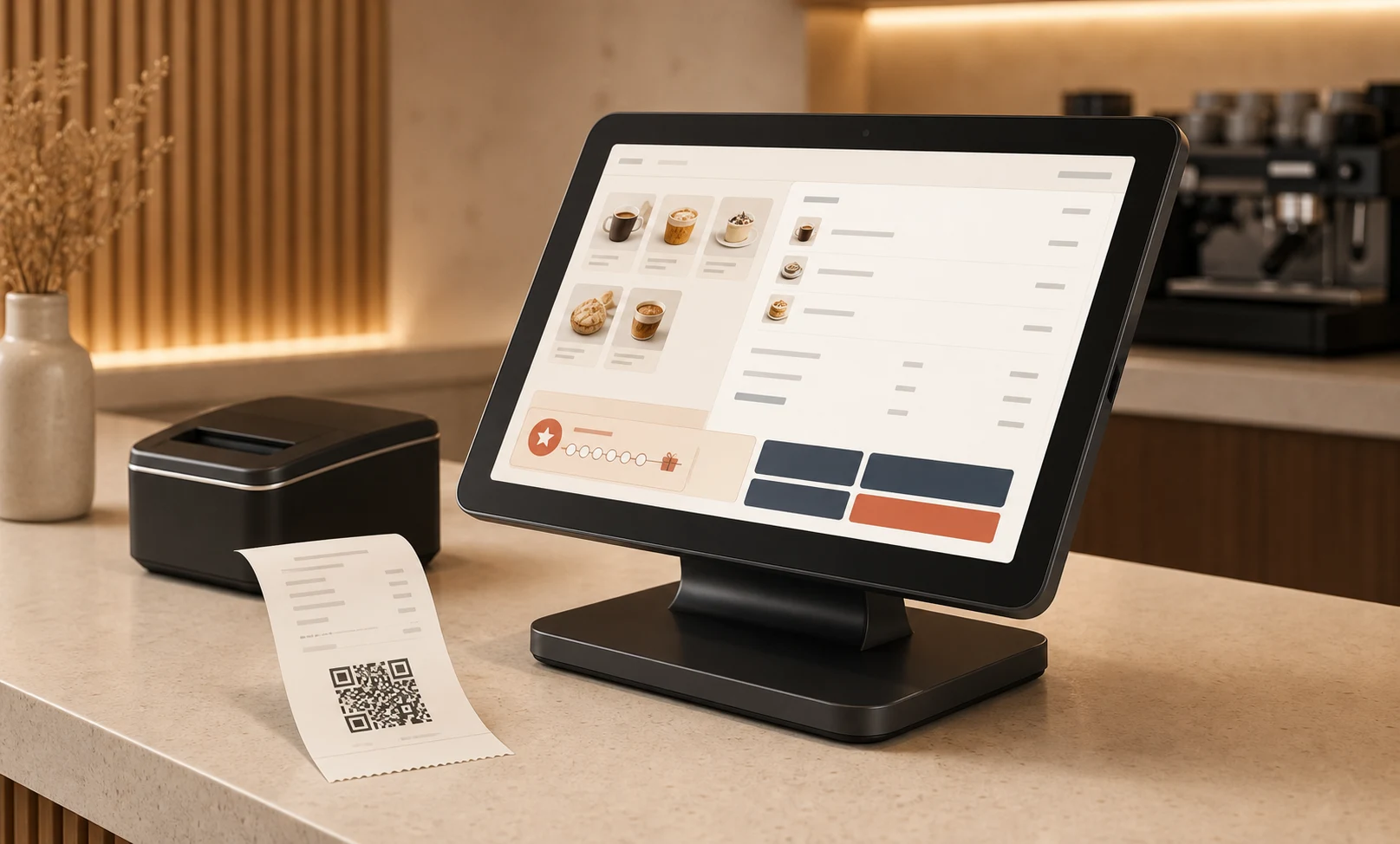
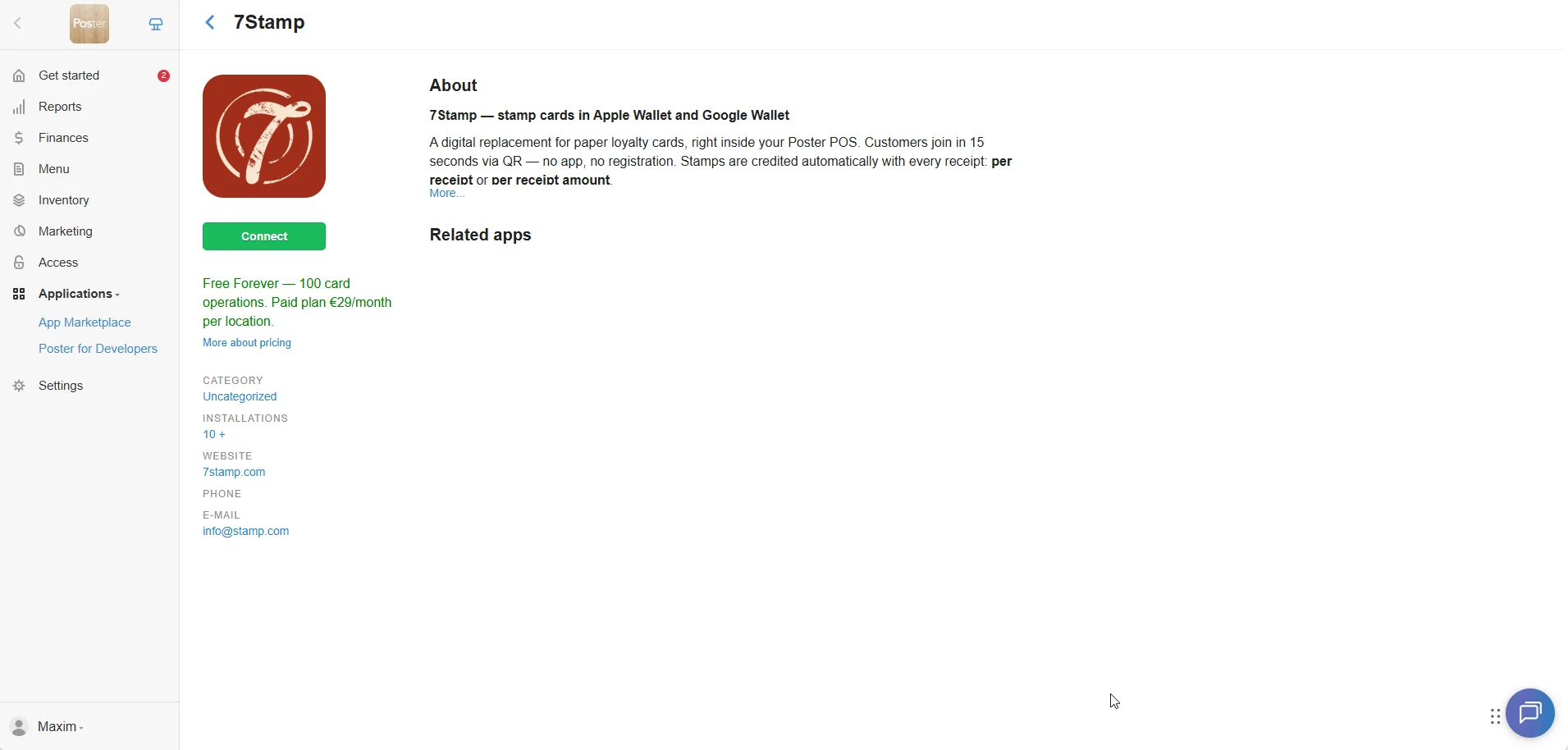
Poster keeps doing the checkout, stock, and reporting. 7stamp adds the wallet loyalty layer on top, with the least possible operational friction.
When the cashier closes a check in Poster, 7stamp can either add the stamp automatically in Receipt QR mode or wait for the cashier to scan the customer in Staff Scan mode.
There is no app to download and no password to remember. The card sits next to Apple Pay and Google Pay, so it stays visible in daily life.
Poster handles the receipt. 7stamp handles the loyalty layer: stamps, vouchers, birthday gifts, reminders, and lotteries. Two systems, one customer experience.
Choose the mode that fits your counter. You can switch between them later in Poster settings without changing the customer wallet card.
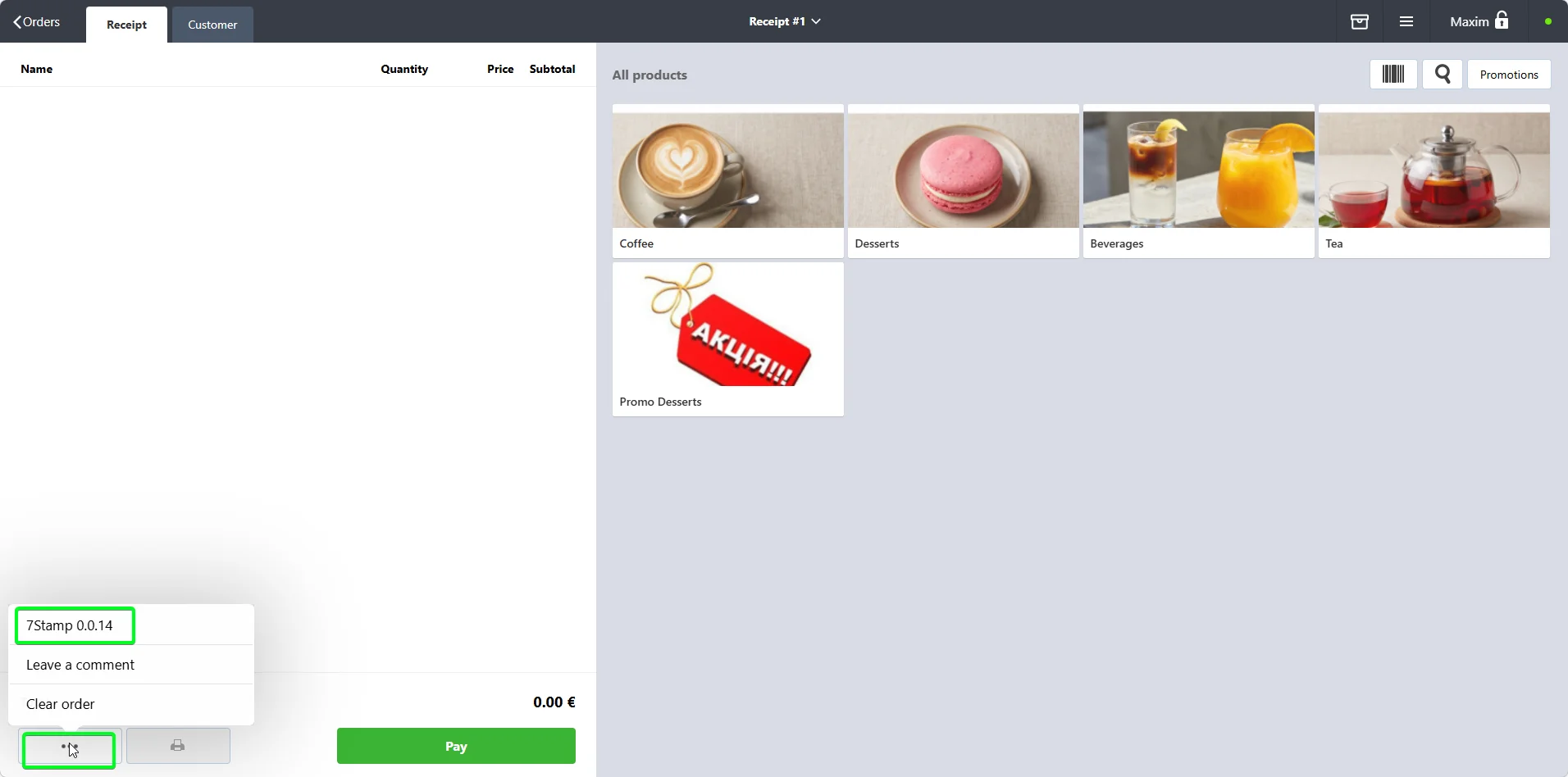
Best for restaurants, salons, and premium-service businesses. The cashier opens the 7stamp panel inside Poster, finds the customer by QR, six-digit number, email, or name, and the stamp is added when the check closes. Reward alerts and active vouchers appear automatically on the payment screen.
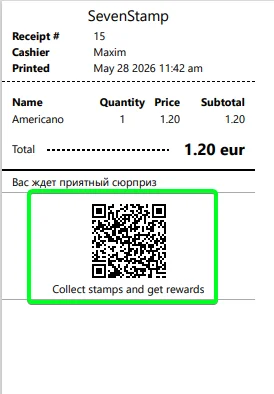
Best for cafes, bakeries, and fast-moving counters. A unique QR code is printed at the bottom of every receipt. The customer scans it with the phone camera and instantly gets the stamp. If they do not have the card yet, the wallet pass is offered right there.
1 stamp per receipt
Best for coffee shops, bakeries, and barbershops where the average check is stable and the goal is to bring customers back more often.
1 stamp per every N currency units
Best for restaurants, retail, and services with more variable average checks where you want the reward logic to also support larger orders.
Poster already handles the receipt. 7stamp adds a reward layer on top that can issue instant gifts, real vouchers, and a wheel-of-fortune style lottery.
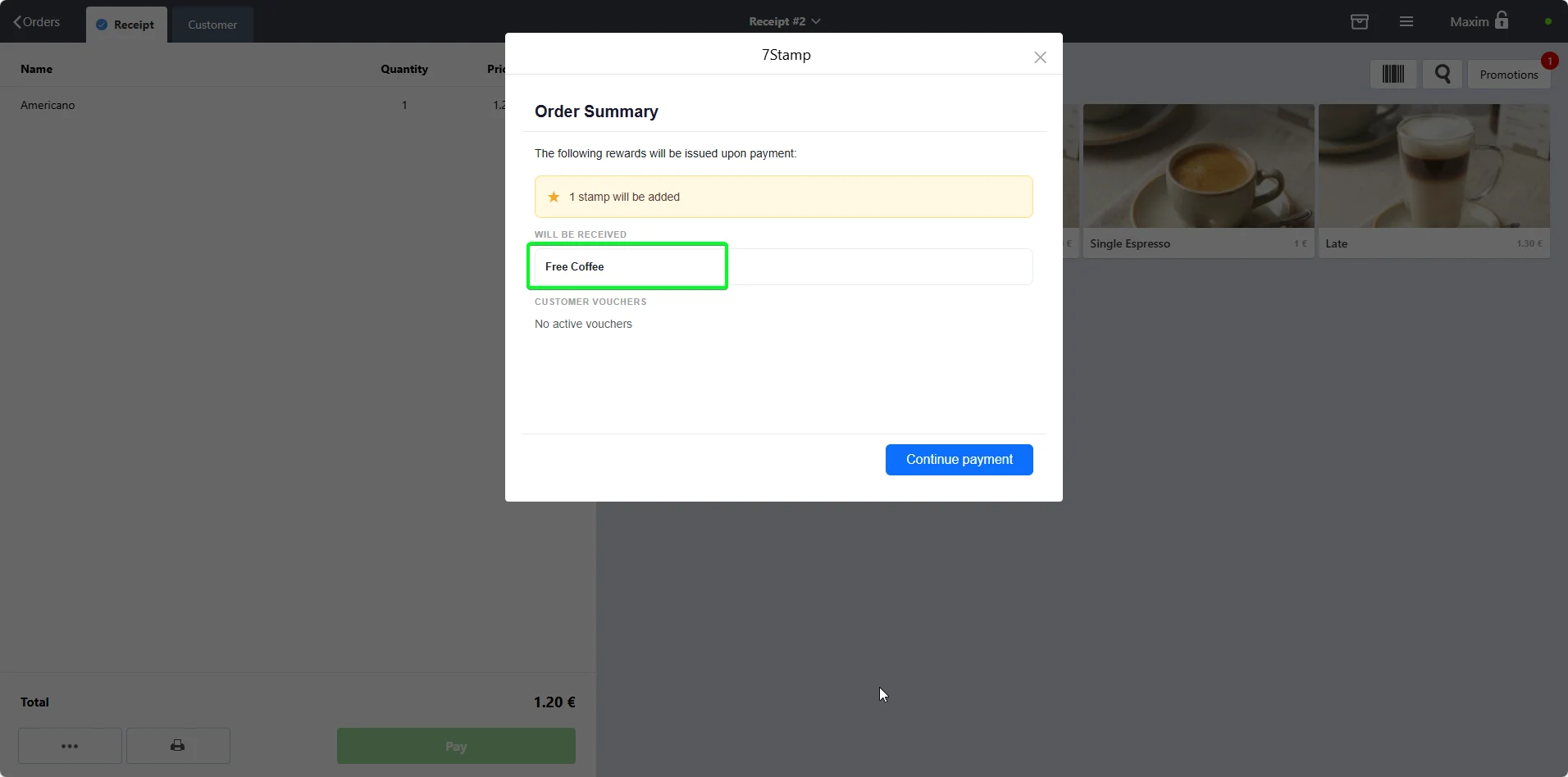
When the customer reaches the goal, Poster shows the cashier exactly which item to give away. The gift can be recorded through a zero-price promo item, a manual discount, or a Certificate payment method.
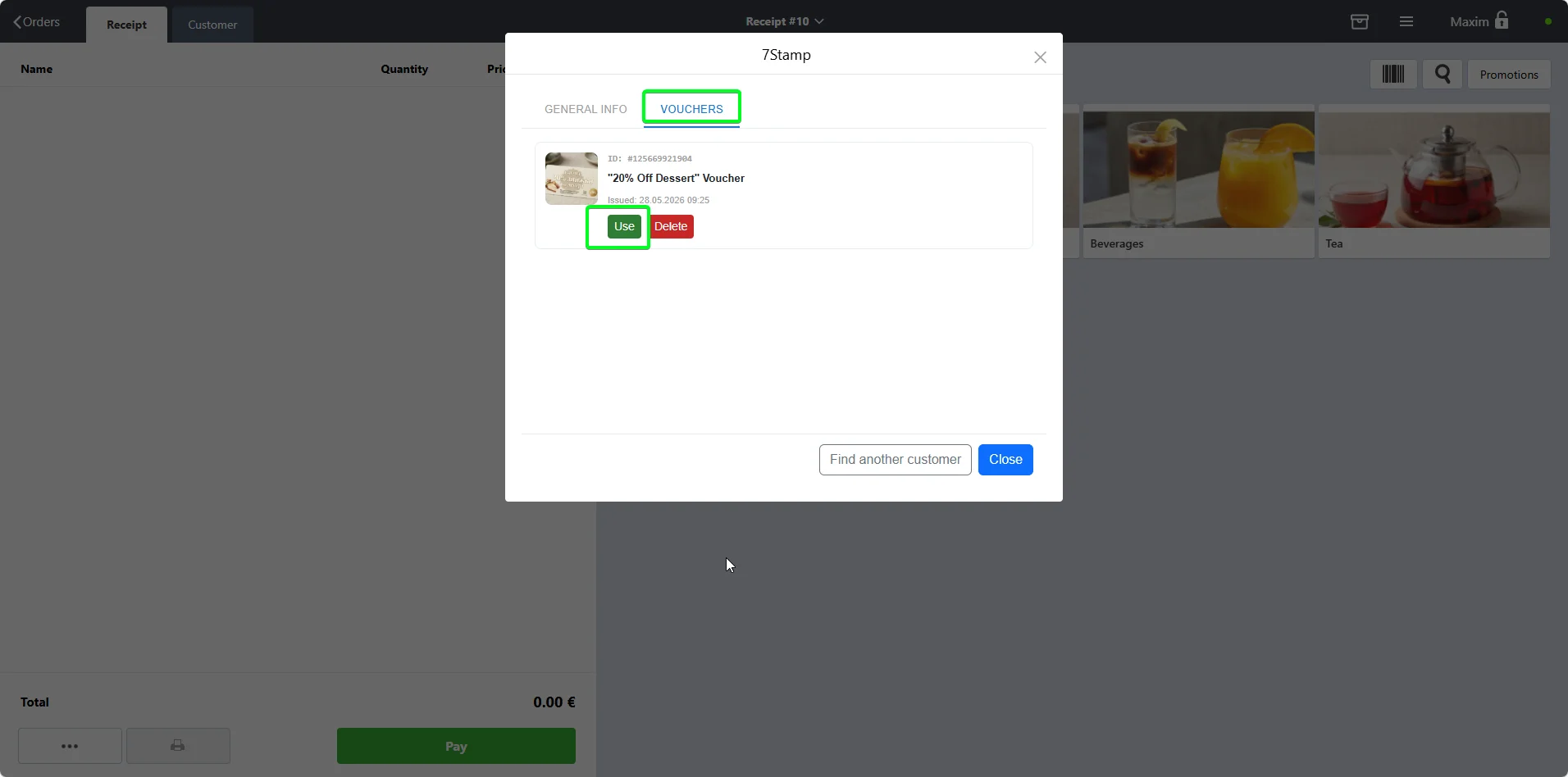
Poster as a POS does not support vouchers. 7stamp adds a full voucher system on top with issue, active, redeemed, and expired states, plus Redeem Codes that work at checkout.
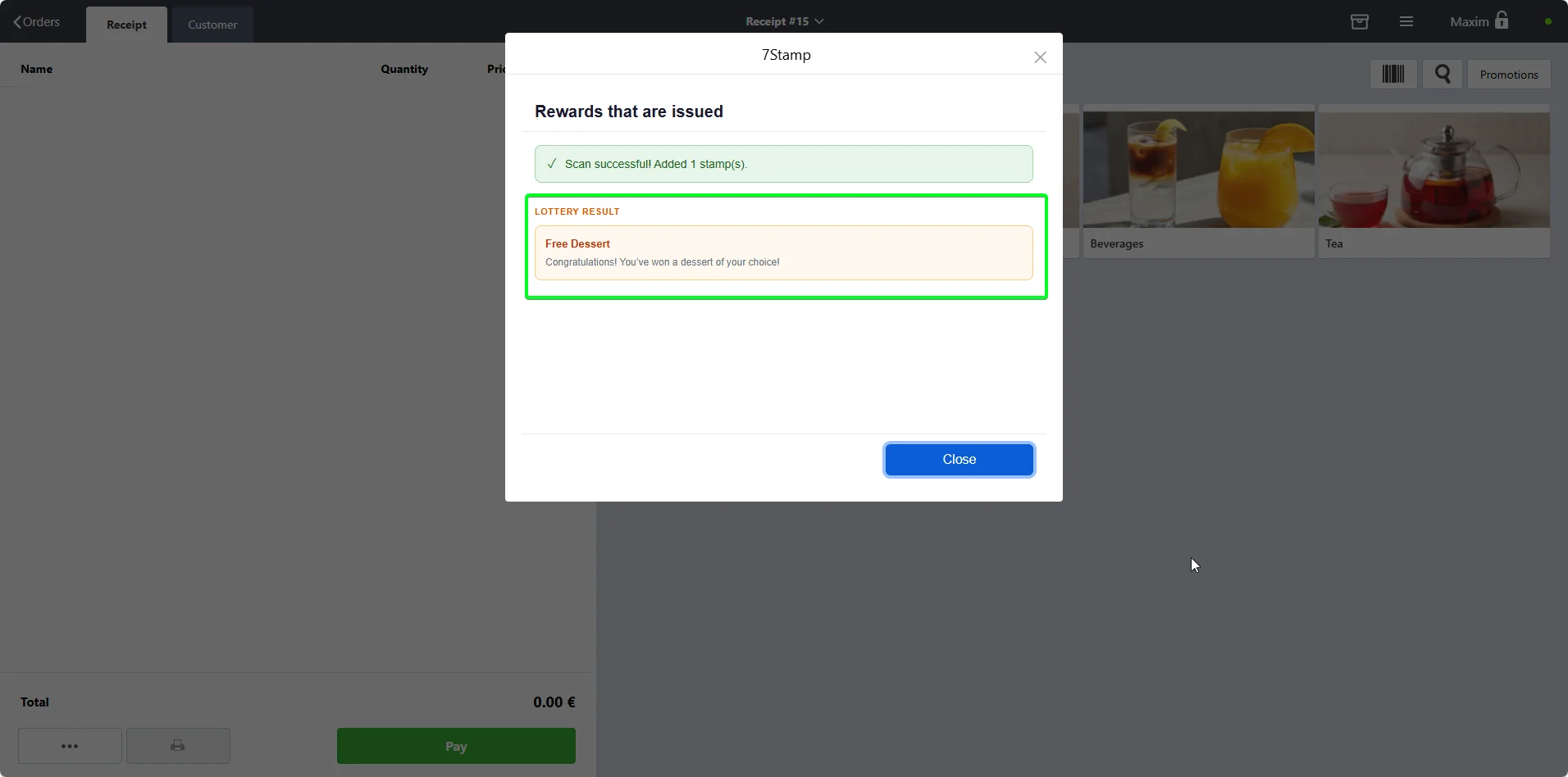
Turn the reward moment into a small game. Customers can spin for an instant gift, a voucher, an extra try, or no prize. The result appears on the Poster payment screen.
Four capabilities usually sit outside the POS itself. That is exactly where 7stamp lives: above the checkout, but inside the real customer journey.
Issue vouchers from marketing campaigns, birthday rules, manual goodwill, or printed inserts. Manage everything from one 7stamp admin panel.
Send return prompts directly to the saved wallet card, by email, or through WhatsApp, Telegram, and Viber integrations.
Print packaging inserts with unique QR codes that issue welcome stamps and move marketplace orders into your direct customer base.
Track redemption rate, customers close to the reward, per-staff performance, voucher usage, and birthday campaign results.
Pricing and install flow
The integration itself is free to install from the Poster marketplace. 7stamp starts with a Free Forever plan up to 100 card operations per month, then paid plans from EUR 29 per month per location.
Poster POS has basic discount and promo code logic, but no built-in wallet loyalty, no voucher engine, and no customer push messaging. 7stamp adds all three on top of Poster without replacing it.
Yes. Installing the integration is free. 7stamp itself has a Free Forever plan for up to 100 card operations per month, then paid plans from EUR 29 per month per location.
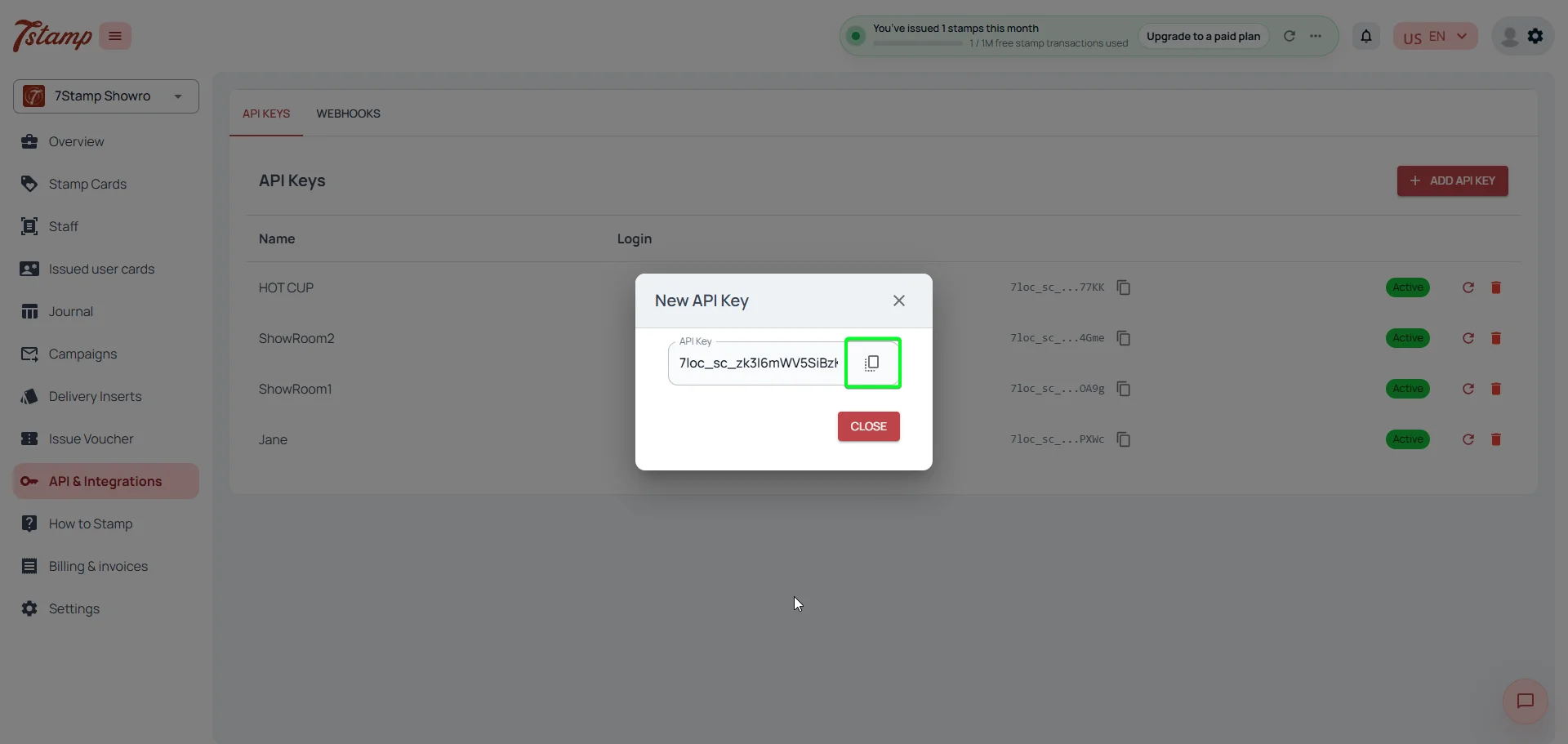
Around 5 minutes. Two clicks to install from the Poster marketplace, one API key to paste, and one mode to choose. No development required.
In Receipt QR mode the cashier does nothing. In Staff Scan mode the cashier learns one action: open the 7stamp panel and identify the customer. Most teams pick it up in under 2 minutes.
Yes. 7stamp adds a full voucher engine on top of Poster. Vouchers can be earned by collecting stamps, issued manually, sent in campaigns, or given as birthday gifts. The cashier sees active vouchers as soon as the customer is identified.
Use one of three proven methods: a special zero-price promo item, a manual promotion, or the Certificate payment method. The full step-by-step is in the setup guide.
Vouchers have a lifecycle of issued, active, redeemed, and expired. After redemption, the same code cannot be used again, even from a screenshot.
Yes. Print packaging inserts with unique 7stamp QR codes to issue welcome stamps to delivery customers and convert marketplace orders into your direct base.
Ready to launch